news
News
17 Mar 2026
Introducing Uni Additional Cube

Dear Maplers,
Imbued with mysterious power, the Uni Additional Cube has been discovered! This remarkable item comes with a very powerful function that resets one out of three additional potential lines in an equipment.
Continue reading to learn more!
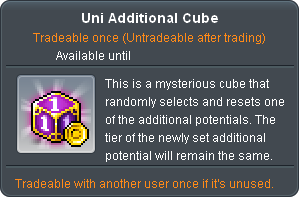
The Uni Additional Cube will be available occasionally for purchase from the Cash Shop for a limited time only, so be sure to keep an eye out for it!
How to Use Uni Additional Cube
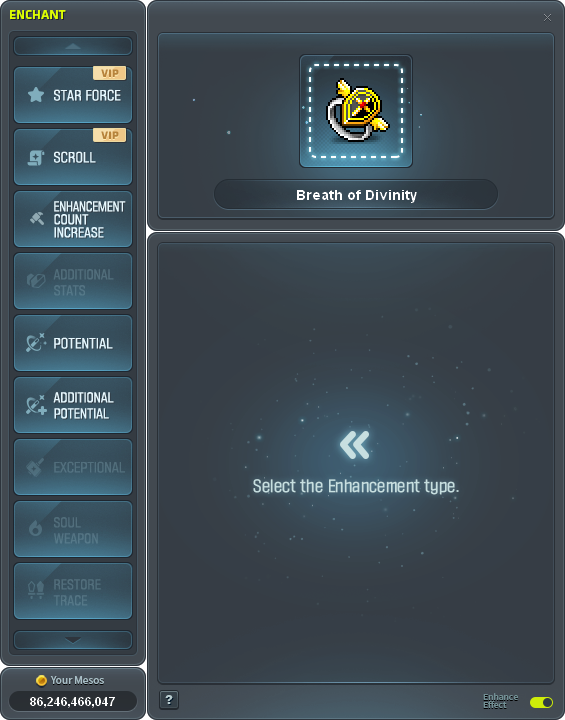
Step 1: Open the Enchant UI and double an equipment to register it.
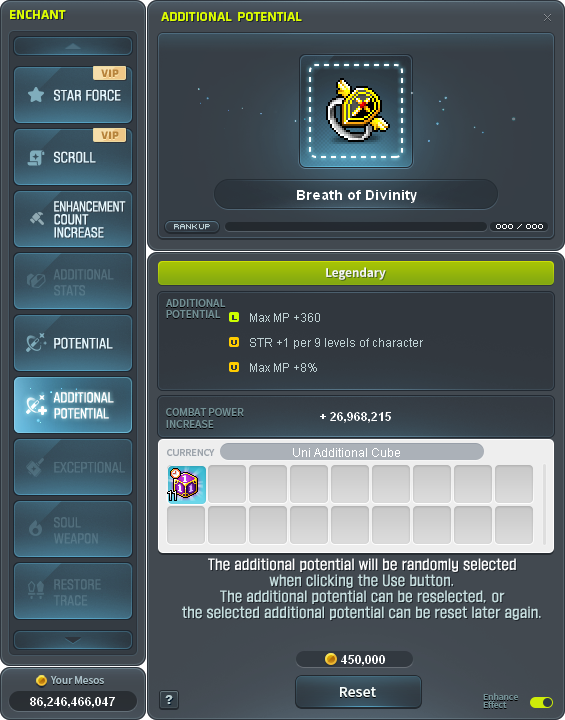
Step 2: Select Additional Potential option and click on Uni Additional Cube to select as currency.
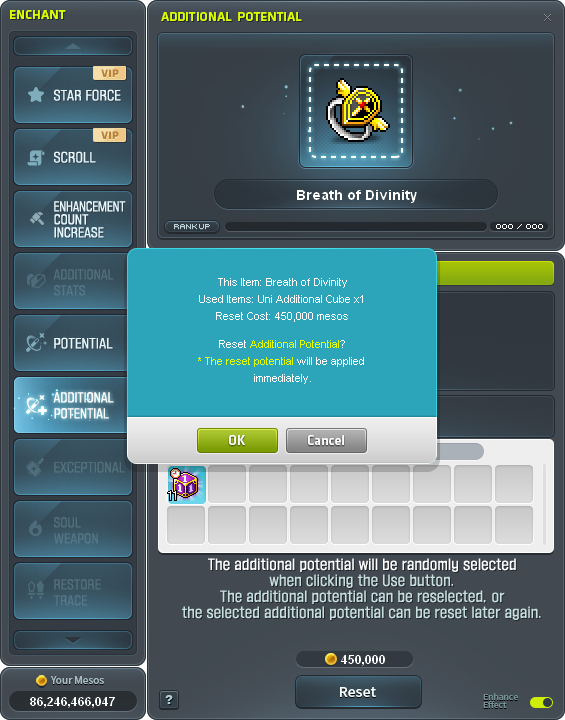
Step 3: Select Reset to start using Uni Additional Cube.
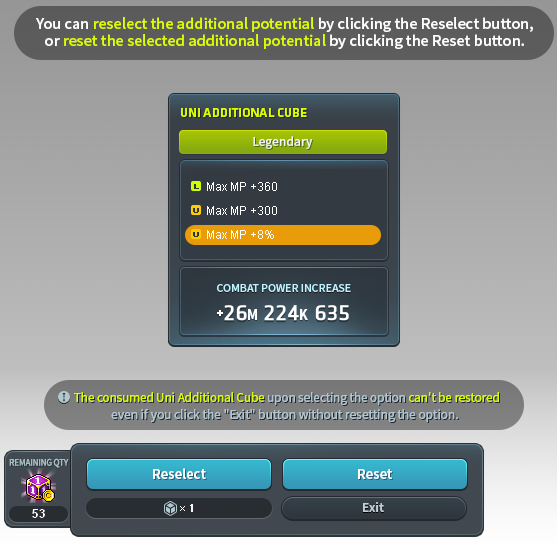
Step 4: One out of three Additional Potential lines will be Randomly selected.
Step 4a: Click on Reselect to Randomly select Additional Potential lines again.
Step 4b: Click on Reset to reset the selected Additional Potential lines.
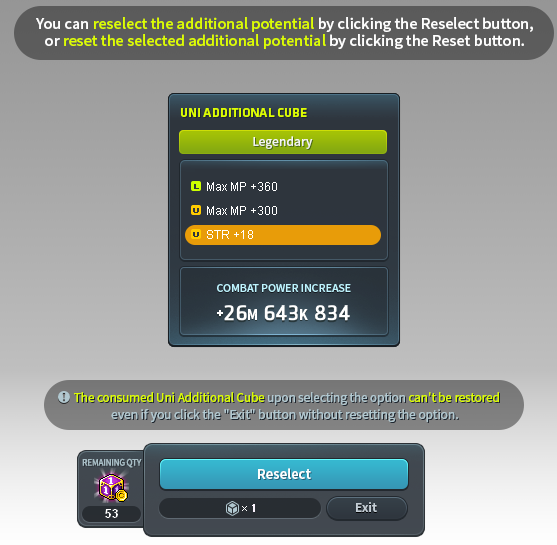
Step 5: Click on Reselect to Randomly select Additional Potential lines again.
Step 5a: Click on Exit to conclude the enhancement.
Note:
- Every use of Uni Additional Cube will grant 5x
 Maple Leaf of Cube.
 - One Uni Additional Cube is consumed immediately upon using it on an equipment or selecting the "Reselect" function or selecting the "Reset" function.
- Uni Additional Cube will NOT increase the potential tier of an equipment.
- Additional potential options that appear are determined based on the current additional potential rank of the equipment.
- It is possible to select the SAME additional potential line again upon using the "Reselect" function.
- One Uni Additional Cube will be consumed upon selecting the "Exit" function without refining the additional potential.
- MapleStorySEA Administrator



Copyright © 2025 NEXON Korea Corp. & Playpark Co Ltd. All Rights Reserved.